/ › Documentation Docs › Working at the command line
    Products · Sign in

    Further reading

    • AC.ID notation
    • JDex: Two other methods
    • Managing email
    • Naming files and subfolders
    • Subfolder patterns
    • The standard zeros
    • Using the Inbox and Archive
    • Working at the command line

    Community

    • Forum
    • Discord (join server)

    Working at the command line

    The terminal loves structure

    The structure of the Johnny.Decimal numbering scheme lets you move to any folder with the minimum number of keystrokes using tab completion.

    At each level, you know that there will be no conflicting items.
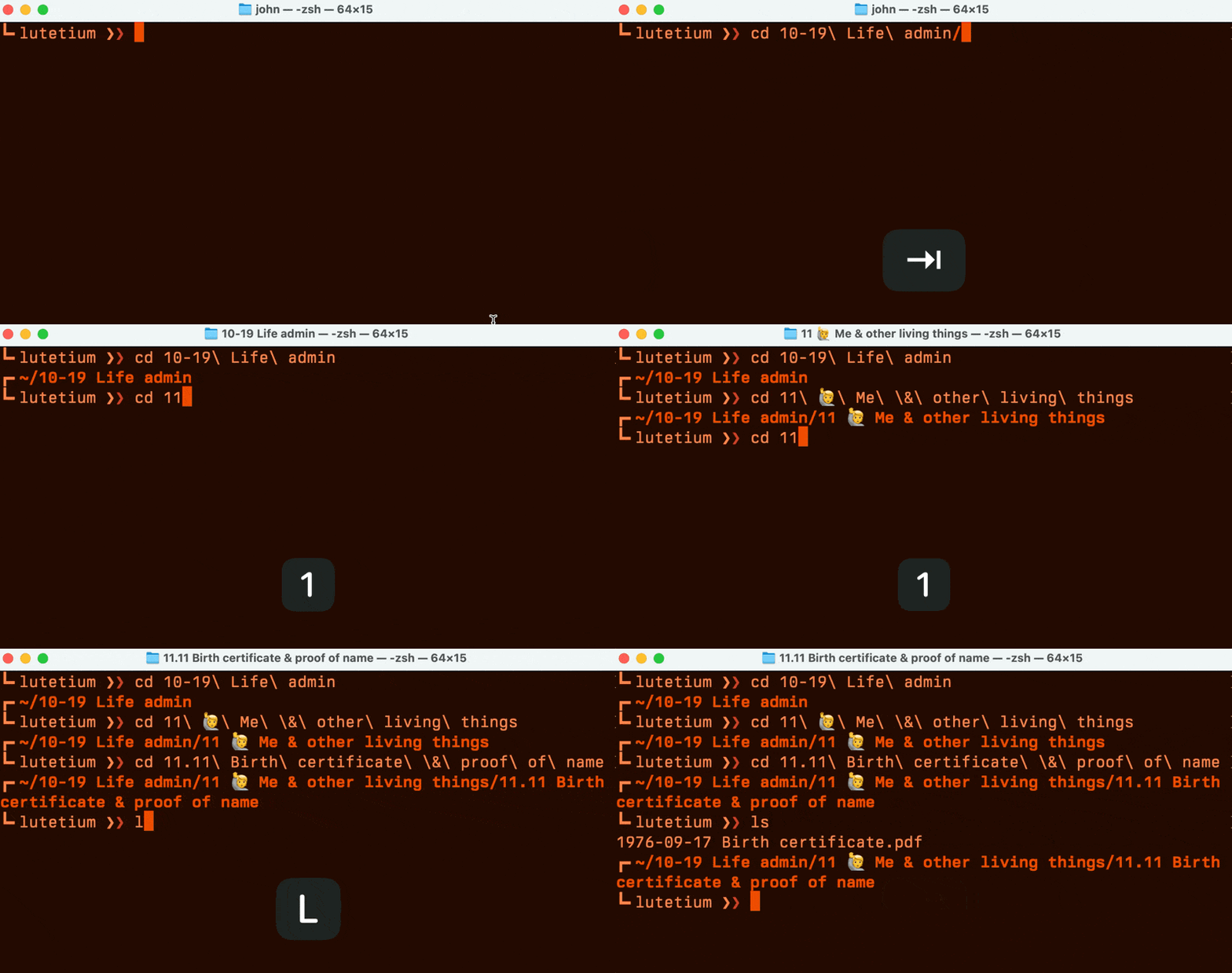
    A GIF, showing me navigating to subfolders in Terminal. At each stage I only need to enter the first part of the JD number then press Tab.
    Figure 62.22A. Tab completion in Terminal.

    See JDHQ for CLI tools

    There's now a whole section of the site dedicated to this. See JDHQ/Command line.


    β—€ Back Using the Inbox and Arc… System expansion: Intro… Next β–Ά (Use the ← arrow keys β†’)

    Learn

    • Documentation
    • Blog
    • Search

    About

    • About us
    • Policies
    • Sitemap

    Support

    • Contact
    • Support
    • Community